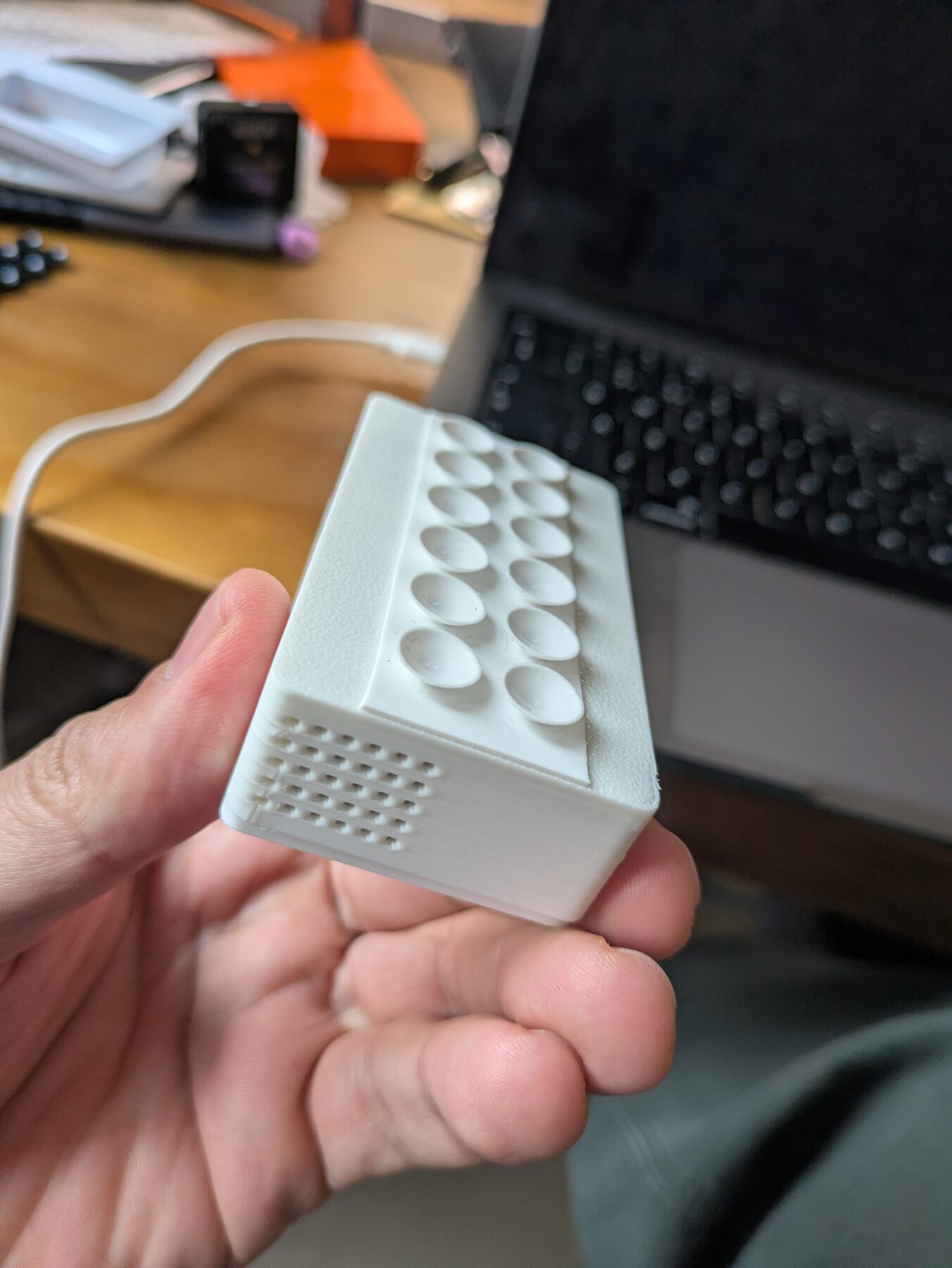
An interactive speaker you program by speaking to it. Describe the sonic
behaviour you want in natural language, and roughly fifteen seconds later
the object is doing it.
In Action
The object, programmed live
Two more captures of interactions authored by voice and running on the prototype.
Instead of manually coding a sonic interaction, I can
describe the behaviour I want in natural language, and
the system programs with AI agents:
“Record my voice, play it back five times, and make it play faster when I
shake the object.”
About 15 seconds later, that interaction runs on the device.
The Core Idea
This project is an experiment in giving everyday objects a kind of
temporary sonic behavior — or even a voice. I added
small suction cups on the back so the speaker can be
attached to other surfaces and objects: a bottle, a chair, a box, a wall,
or anything else with a suitable surface. Once attached, that object
becomes the site of the interaction.
The goal is not just to make a speaker, but to create a
small attachable sound module that can turn ordinary
things into interactive sound experiences.
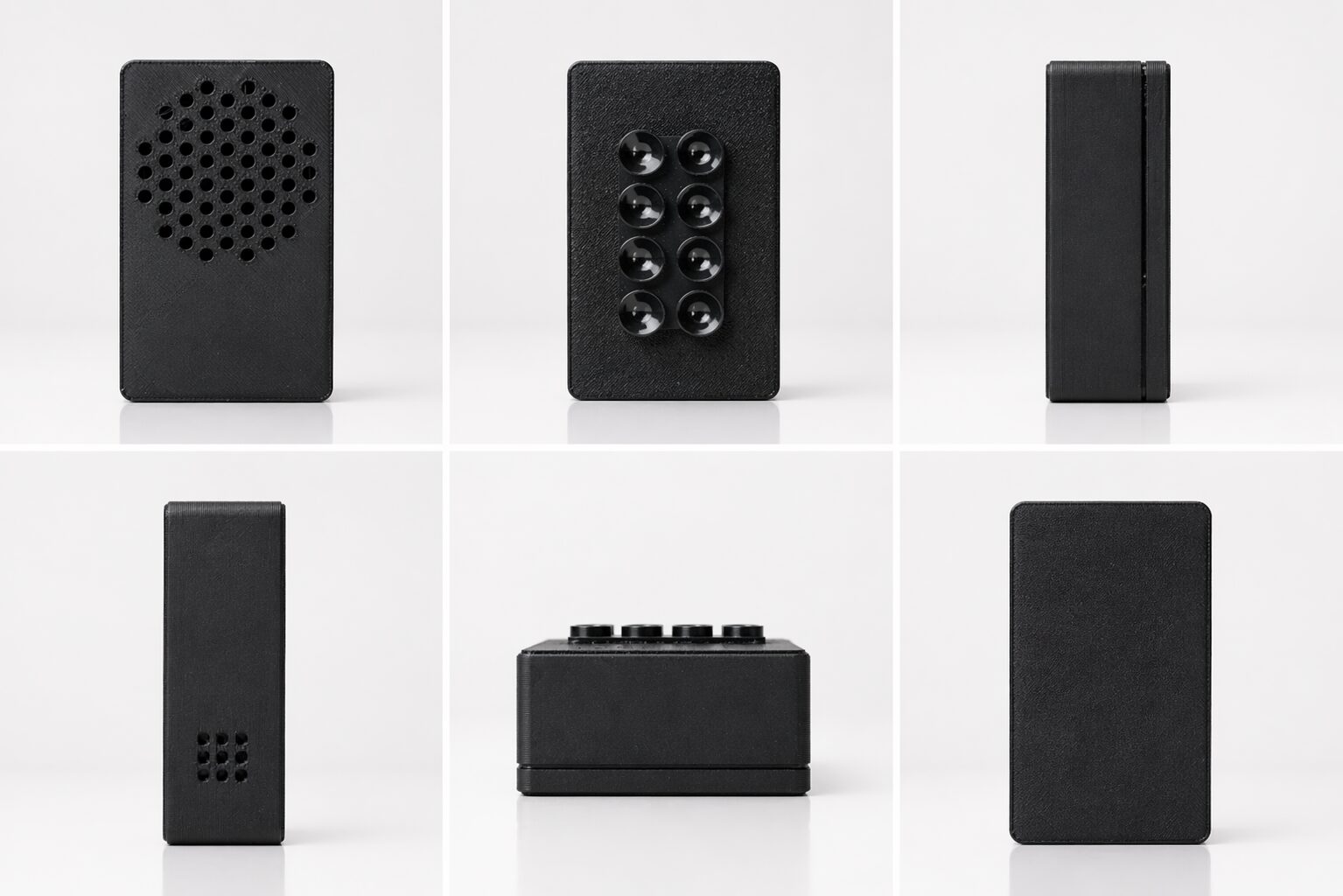
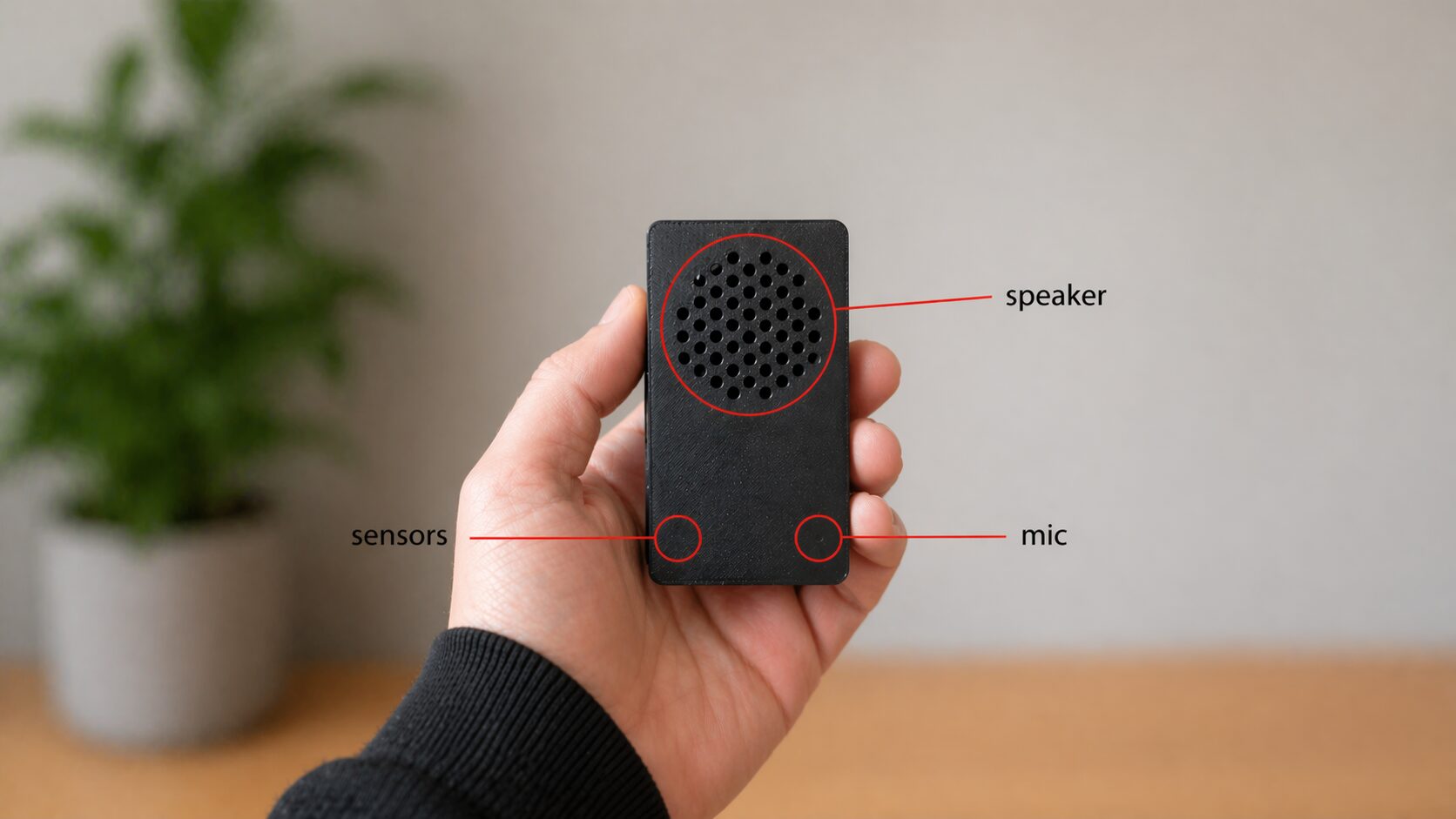
The objectHardware overview · click to enlarge
Hardware and Software
The prototype is currently built around an
Orange Pi Zero 2W, which runs the audio logic and
interaction pipeline. For sound synthesis and audio behavior, I’m using
SuperCollider, which gives access to a huge range of
sonic possibilities: looping, delays, granular textures, spectral
processing, rhythmic structures, generative behaviors, and much more.
The device also includes:
a microphone
a speaker
WIT motion sensors, including accelerometer and gyroscope data
That means the object can listen, react to movement, and generate or
transform sound in response.
Programming Interaction by Voice
What makes the project unusual is the way interactions are authored.
In the backend, I’m using Claude Code to interpret spoken
or loosely specified instructions and turn them into working interaction
logic in real time. In practice, this means I can give the system a fuzzy
prompt — something halfway between an artistic direction and a technical
instruction — and it can assemble the behavior quickly enough to feel
immediate.
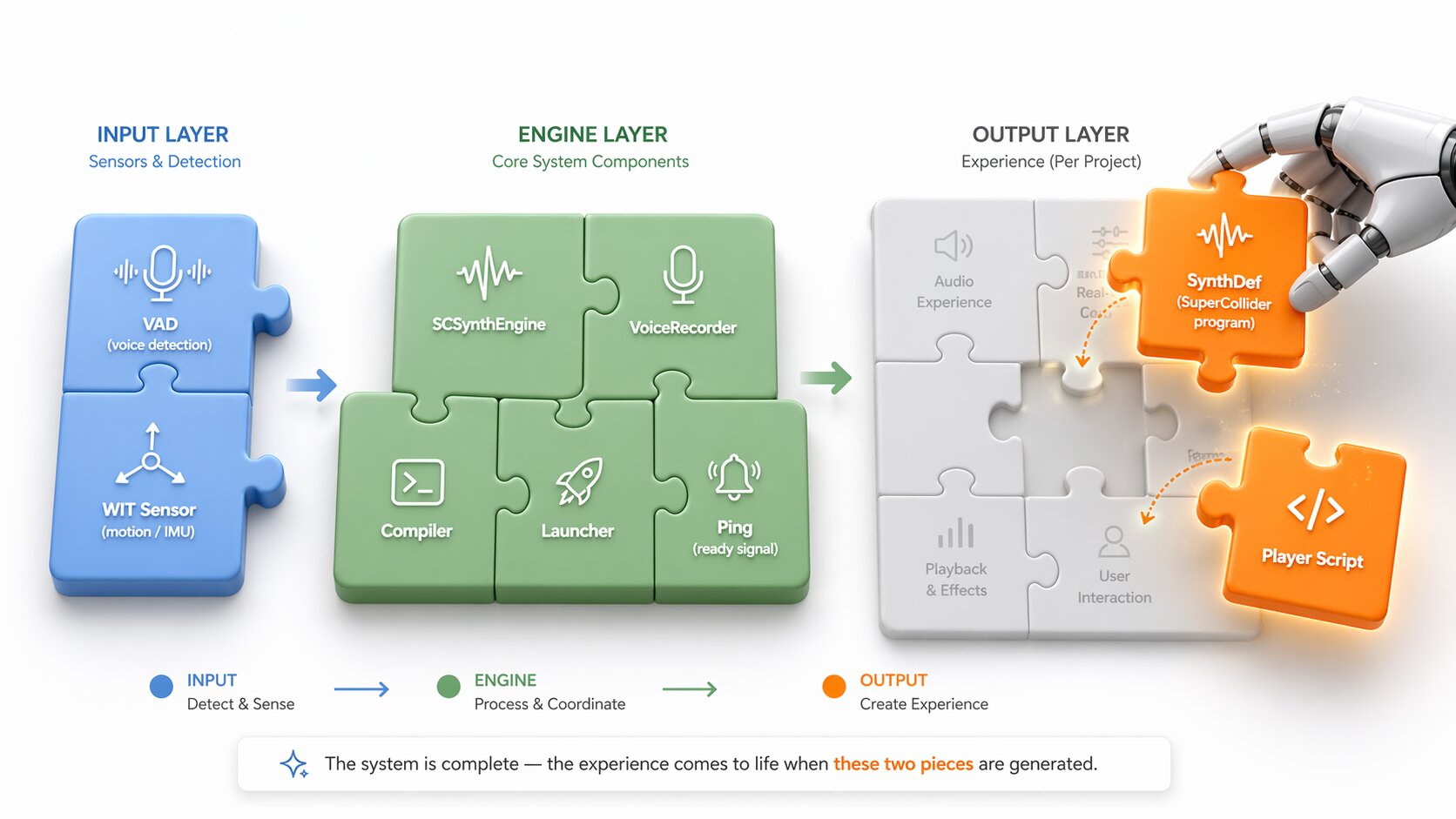
A lot of the work is front-loaded into a detailed Claude skill
I wrote — it documents the sensor API, the voice activity detection (VAD)
module, the SuperCollider synth engine and the rest of the runtime.
The interaction pipeline
That means Claude Code doesn’t have to invent the whole system each time.
It only has to write the final piece of the puzzle:
what to do with the input, and what the synth should do in
response.
Because the audio engine is built around SuperCollider, the interaction
space is extremely open-ended. In principle,
anything that SuperCollider can do can be turned into an
interaction: voice looping, gesture-controlled playback, sound
scattering, resonant effects, rhythmic retriggering, or more abstract
generative sound behavior.
And because the interaction is programmed in around
15 seconds, it becomes possible to iterate very quickly:
speak an idea, try it, adjust it, and move on.
Instead of writing code first, I can start with language:
“Make my voice echo like it’s trapped in a bottle.”
“Turn this object into a jittery stutter instrument.”
“Make sudden movement trigger overlapping replays.”
“Scatter my voice into a grain cloud when I shake it.”
That changes the feel of the design process. It becomes faster, more
improvisational, and more playful.
A Small Platform for Infinite Behaviors
What excites me most is that this is not a single interaction or a
fixed-purpose product. It is closer to a
platform for programmable sonic behavior.
The same object can become:
a voice looper
a motion-controlled sound toy
a musical instrument
a sound sculpture
a talking object
an interactive installation component
The hardware stays the same, but the behavior can be redefined again and
again.
Making Of
3D printing the object
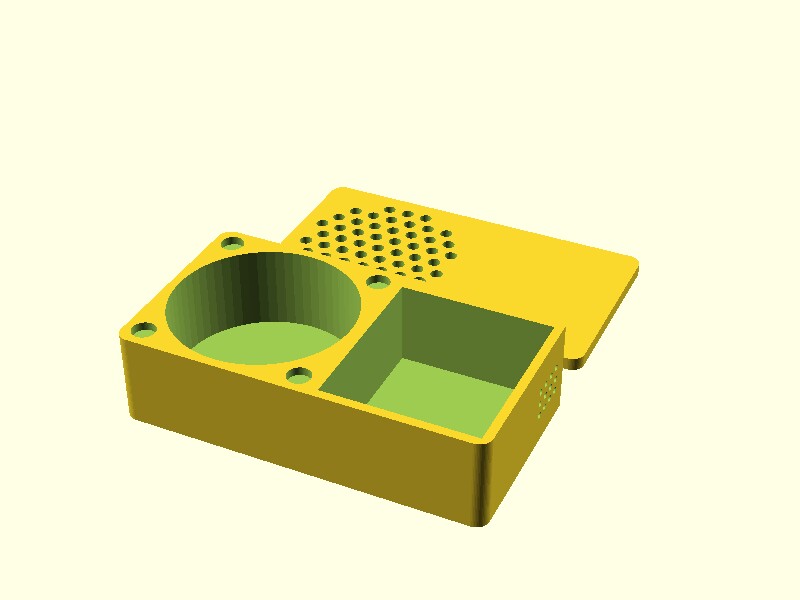
From the OpenSCAD model to a time-lapse of the enclosure being printed, to the finished shell with magnets attached.
I’m terrible with 3D design software, so being able to
design the enclosure with Claude Code was a real
surprise.
FreeCAD fell apart — Claude kept getting tangled in sketches, constraints
and dependencies. Switching to OpenSCAD worked
immediately, via the
iancanderson/openscad-agent
skill, which tightens the generate–render–iterate loop on
.scad files.
Why is OpenSCAD so much easier for an LLM than FreeCAD?
It’s easier to design 3D objects with LLMs in OpenSCAD because OpenSCAD
is just text-based code that directly describes the shape,
which fits perfectly with how LLMs generate and reason about structured
text. In contrast, FreeCAD relies on a step-by-step, stateful modeling
process with sketches, constraints and dependencies that can break or
behave unpredictably, making it much harder for an LLM to manage.
In simple terms: OpenSCAD says “what the object is,” while
FreeCAD requires describing “how to build it,” and LLMs are
much better at the former.